Lupa
A magnifier and “microscope” that uses the camera. No ads, no accounts, no internet access.
// What it does
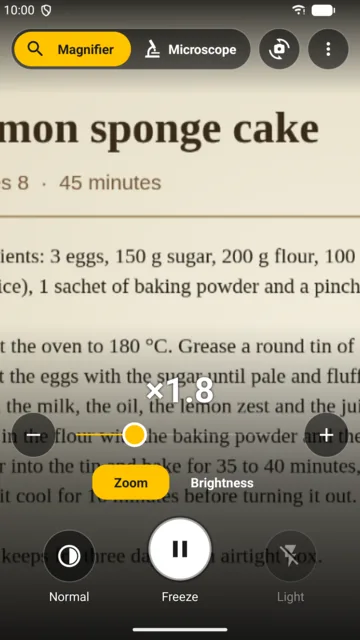
A magnifier for reading
Zoom with two fingers, the slider, the + and − buttons or the volume keys. Optional torch for reading in dim light.
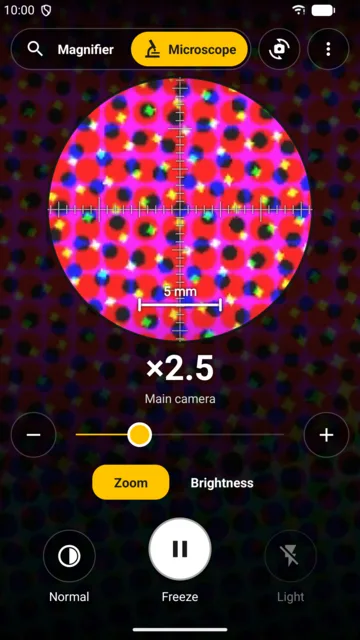
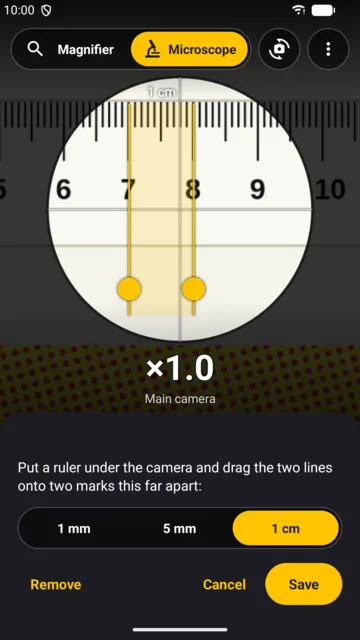
Microscope mode
Uses the camera that focuses closest (on many phones, the ultra-wide), allows more magnification and shows an eyepiece with a scale. Calibrate it with a ruler and it measures in millimetres.
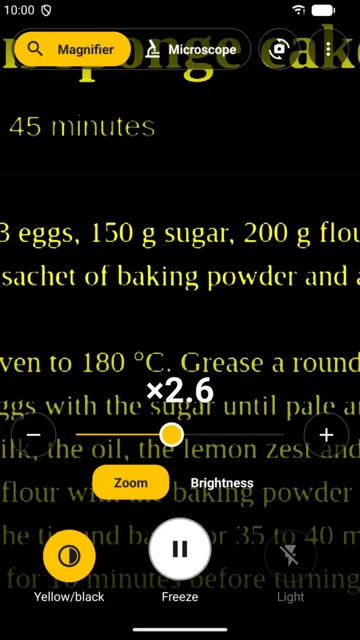
Reading filters
High contrast, grey, black on white, white on black and yellow on black.
Freeze the image
With a button or a double tap. A moment later it is replaced by a full-resolution photo of the same framing, so zooming in shows real detail.
Front camera
A magnifying mirror. It has no flash, so the screen is the light: full brightness and a white frame.
Your photos, close at hand
Save or share the frozen image. Photos go to Pictures/Lupa and are listed inside the app.
Opens in a moment
A Quick Settings tile and app-icon shortcuts open the magnifier or the microscope, even with the light already on.
Private by design
No ads, no trackers. It does not even have the internet permission: it cannot send anything anywhere.
// Good to know
- Requires Android 11 or newer.
- A phone has no microscope optics: microscope mode combines the closest-focusing camera, digital zoom and the light, like a very strong magnifying glass. How close each phone can focus varies a lot (from about 2 cm to over 10 cm) and the app tells you. For more magnification, clip a macro lens over the camera.
- Beyond the camera's own zoom the image gets bigger but not more detailed. Freeze it to see the full-resolution photo.
- The scale measures in millimetres once you calibrate it with a ruler; if you change the distance to the subject a lot, the measurement is approximate.
- Available in 20 languages, with a per-app language picker on Android 13 or newer.
// FAQ
Is Lupa free?
Yes. It is free, with no ads and no trackers.
Do my photos leave my phone?
No. The app does not even have the internet permission. Photos are only saved when you press Save, on your phone, and only shared if you choose to.
Which Android version do I need?
Android 11 or newer.
Is it a real microscope?
No: a phone has no microscope optics. Microscope mode uses the closest-focusing camera, zoom and the light, and works like a very strong magnifying glass. A clip-on macro lens over the camera gives much more magnification.
Why is it blurry when I get very close?
Every camera has a minimum focus distance and will not focus any closer. In microscope mode the app tells you how close the chosen camera can focus.
Which permissions does it ask for?
Only the camera.